
AI product images for independent Shopify stores
Create a visual direction for a product page, collection or launch without organising a separate shoot for each placement. Grafikarta turns your product photo into ecommerce images you can review, download and upload to your Shopify store.
5 free credits · No card required · No subscription required
Plan a useful product-page image set
Start with an accurate product photograph. Add a styled scene to suggest context, then keep real detail shots for materials, packaging and size. A generated scene should help someone understand the product without inventing a feature.
For a collection, use similar surfaces, lighting and framing across products. Leave room around the item so you can crop for different placements without cutting off important details.
Export creative, then publish it in your store
No design experience is required: describe your background and composition in plain language. Check the result at the size it will appear on a phone, including any small labels or image text.
Grafikarta provides downloadable images; it does not automatically sync your catalogue or publish to Shopify. Add the checked file through your normal store workflow and write alt text that describes the actual product.
From product reference to a styled image
These existing Grafikarta demo images show a botanical face-oil bottle and box in two settings. Compare the packaging and label before choosing a generated result.

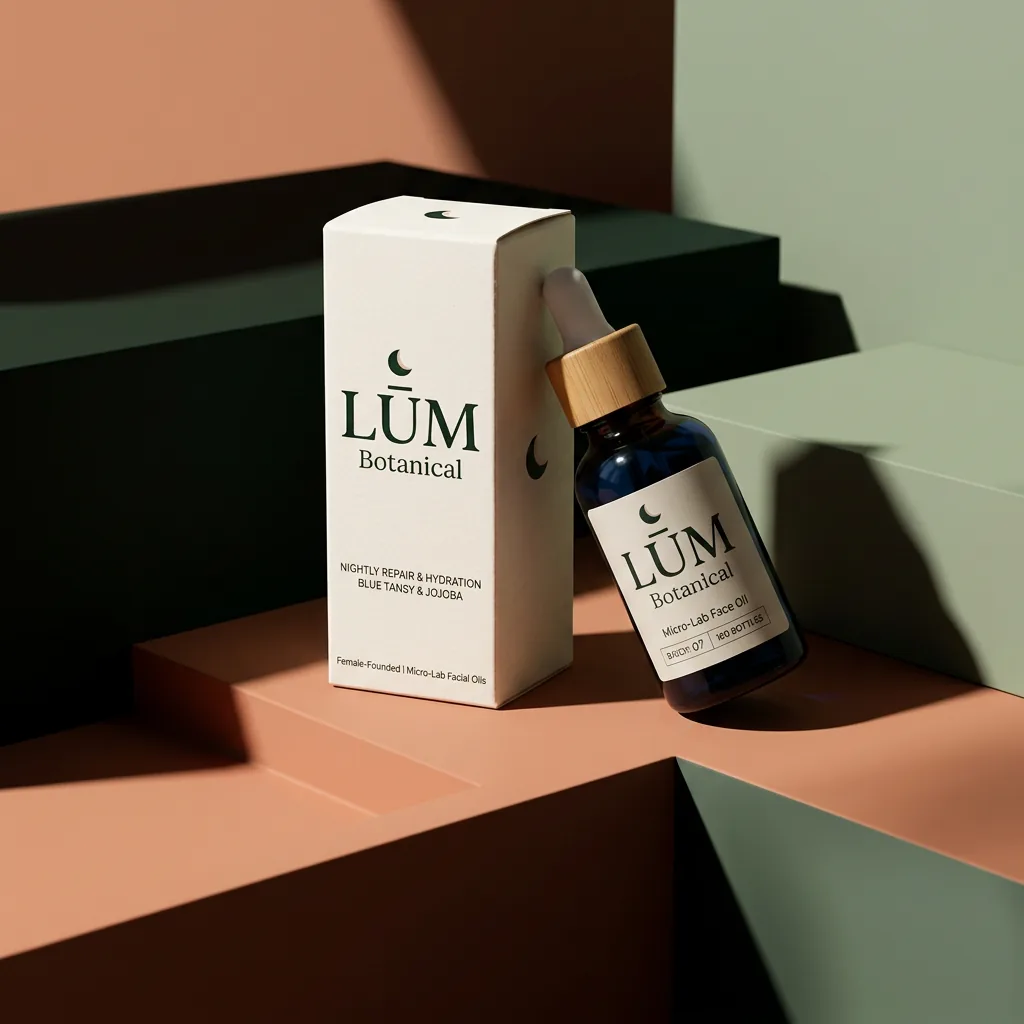
How to create your first image
- Pick a placement: product page, collection image or campaign creative.
- Upload your product photo and describe a scene with suitable room for the crop.
- Inspect the product details, download the image and upload it to Shopify.
Read the practical guide to AI product photography for source-photo tips and a worked example.
Try it free, then pay when you need more
Start with 5 free credits. No card required. Free credits expire after 14 days. A 1K image uses 1 credit; a 2K image uses 2 credits.
No subscription required. Pay-as-you-go credits last 365 days. Optional monthly Creator and Pro plans are available.
Paid prices are shown in US dollars (US$). See current US$ pricing and plan allowances before buying. The app shows the credit cost before you generate.
Explore related tools and use cases
Start with one product photo
No design experience is required. Try a small first brief and check the result before publishing.